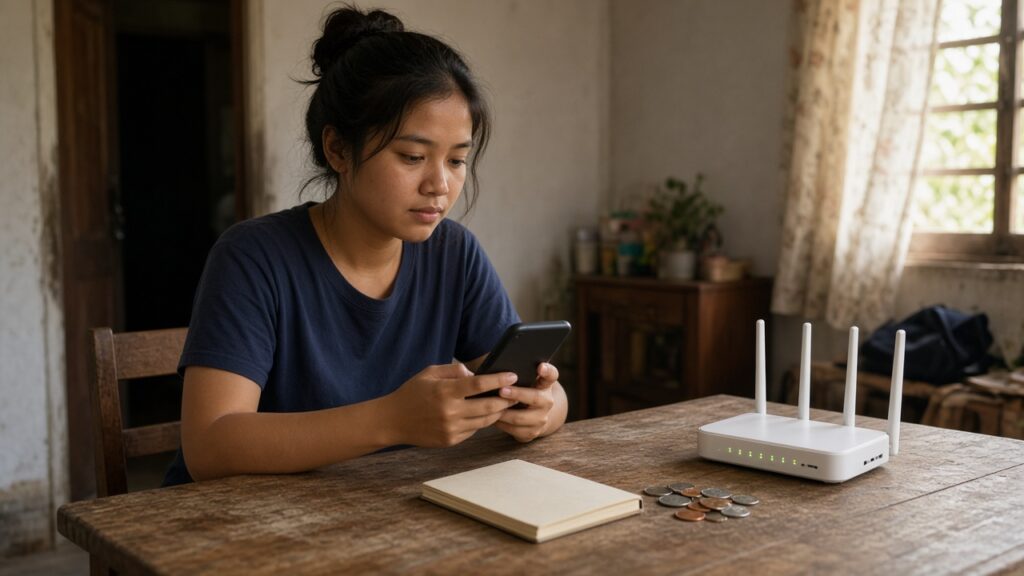
Load, data promos, home Wi-Fi, maybe a streaming app or two. For many Filipino households, staying connected has quietly become one of the biggest monthly bills after food, rent and kuryente. The tricky part is that it rarely feels big, because it leaks out in small amounts: ₱50 here, ₱99 there, an auto-renew you forgot about.
The good news is that this is one of the easiest bills to trim without giving anything up. This guide shows practical ways to save on mobile data, load and home internet in the Philippines, plus the consumer rules that protect you.
Step 1: Know what you actually spend
Before switching plans, list everything you pay for connectivity in one month. Include:
- Prepaid load and data promos for every phone in the household
- Postpaid plans (including add-ons and device installments)
- Home fiber or fixed wireless internet
- Pocket Wi-Fi or prepaid home Wi-Fi loads
- Streaming, cloud storage and app subscriptions charged to your card, GCash or Maya
Check your e-wallet and bank transaction history for the last two or three months. Many people are surprised to find two people in the same house both paying for big data promos while the house already has unli fiber. If you already track your expenses, this step takes only a few minutes.
Step 2: Check how much data you really use
Most phones show data usage per month and per app in Settings. Look at the last full month:
- Mobile data used versus what your promo gives you. If you buy a big promo but only use a third of it, you are paying for air.
- Which apps eat the most. Video apps (short videos, streaming, video calls) are almost always the top users.
- How much happens at home. If most of your heavy use happens where there is Wi-Fi, you may need a much smaller mobile promo.
Your goal is to buy the promo that matches your real usage, not the one with the biggest number on the poster.
Step 3: Pick the right type of promo
Telcos change their promos often, so we will not list prices here. Instead, compare offers using these questions:
- Cost per day. Divide the promo price by the number of valid days. A cheaper promo that lasts only three days can cost more per month than a 30-day bundle.
- Cost per GB. Divide the price by the total data. Watch out for data that is only usable on certain apps.
- Fine print. Check whether “unli” has a fair-use limit, whether part of the data is only for specific apps, and whether the promo auto-renews.
- Will you use the extras? Free unli calls or texts are only worth paying for if you actually call and text.
Use your telco’s official app or website to see current offers, and compare at least two options before buying. Avoid buying “promo codes” or discounted load from strangers on social media, since these are a common scam. Our guide on how to spot money scams explains the red flags.
Step 4: Know your prepaid load rights
Many Filipinos still believe that small loads expire in a few days. That was the old rule. Under NTC-DICT-DTI Joint Memorandum Circular No. 05-12-2017, regular prepaid load of whatever amount expires one year from the date of your latest top-up, and telcos may offer longer validity. Every new top-up resets the one-year count.
Two important catches:
- The one-year rule covers your regular load balance. Load you have already converted into a promo or bundle follows that promo’s validity period, which can be much shorter.
- There is no rule yet making load non-expiring. If you leave a balance untouched for more than a year without topping up, it can expire.
Practical tip: if you are not sure you will use a promo before it expires, keep the money as regular load first and register to a promo only when you need it.
Step 5: Use Wi-Fi smartly (including free public Wi-Fi)
Do your heavy downloading, app updates, video calls and streaming on Wi-Fi whenever possible. Then set your phone to:
- Update apps and back up photos only on Wi-Fi
- Turn off autoplay videos on social media apps when on mobile data
- Turn on Data Saver mode in Android or Low Data Mode on iPhone
- Download playlists, podcasts or shows at home before a long commute
Free public Wi-Fi can also help. Under the Free Internet Access in Public Places Act (Republic Act No. 10929), the government runs a free internet program in public places such as government offices, public schools, state universities, public hospitals and health centers, parks and libraries, and public airports, seaports and transport terminals. No fees may be collected from users to connect.
Be realistic, though. A 2025 audit reported by the Daily Tribune found that some free Wi-Fi sites were not working or had poor signage, so treat it as a bonus, not your main connection. And for safety, avoid logging in to your bank, GCash or Maya on any public network. Use mobile data for financial apps.
Step 6: Right-size your home internet
Home fiber is often the best value per GB if several people share it, but many households overpay for speed they never use. Ask yourself:
- How many people and devices use it at the same time?
- Do you work from home, upload large files or stream in HD on several screens?
- Are you still on an old promo that now costs more than newer plans with the same or higher speed?
If your contract lock-in period is over, call or chat your provider and ask if there is a cheaper or faster plan for your area. Retention offers exist, but never assume you will get one. Before signing anything new, check the lock-in period, the pre-termination fee and installation charges.
If home internet means everyone can drop to small mobile promos, add up the savings. For example, if three family members each cut their monthly data spending by ₱200 because they now rely on home Wi-Fi, that is ₱600 a month or ₱7,200 a year (your own numbers will differ).
Step 7: Cut subscriptions you forgot about
Streaming services, cloud storage, game passes and premium app features often renew silently. Once a quarter:
- Open your Google Play or App Store subscriptions page and cancel what you no longer use.
- Check your credit card, GCash and Maya history for recurring charges.
- Share family plans only with people you trust and only where the service’s terms allow it.
- Rotate services: subscribe to one streaming app for a month, finish what you want to watch, cancel, then try another.
Step 8: Do not pay for days without service
If your home internet goes down for a long time, do not just wait and pay the full bill. Report the outage right away, get a ticket or reference number, and keep screenshots of the dates and times. Then ask your provider for a pro-rated bill adjustment for the days you had no service.
Lawmakers have also pushed for automatic refunds. According to a Rappler explainer, the House passed House Bill No. 178 in late 2025, which would require automatic pro-rated refunds for outages of 24 hours or more in a month. Check its current status before relying on it. If your provider refuses a reasonable request, you can raise a complaint with the National Telecommunications Commission (NTC).
Quick checklist
- List every connectivity bill and subscription in the household
- Compare your actual data use with what you are paying for
- Compare promos by cost per day and cost per GB, not by headline size
- Keep money as regular load until you need a promo
- Do heavy downloads and updates on Wi-Fi only
- Review your home plan once your lock-in ends
- Cancel unused subscriptions every few months
- Document outages and ask for bill adjustments
Small connectivity savings add up. Whatever you free up each month can go straight into your emergency fund or a sinking fund instead of disappearing into unused gigabytes.
This article is general information only and not financial advice. Rates, rules and fees change, so please verify with the provider or the official agency before deciding.